
Law firms
Disclosure with named readers and a record that holds up.
It might be a transaction, a regulatory response or a dispute. Either way you need to know exactly who can read each document, and the watermark should say who they are. The log should still make sense to whoever asks about it later.
- Small or Medium room
- Every lock on every plan
- Unlimited guests
How it runs
Set the rules once, and the room holds them.
Start with the room rules, then work down to people and documents. Nobody further down can loosen what the room has locked.
- 01
Lock the room
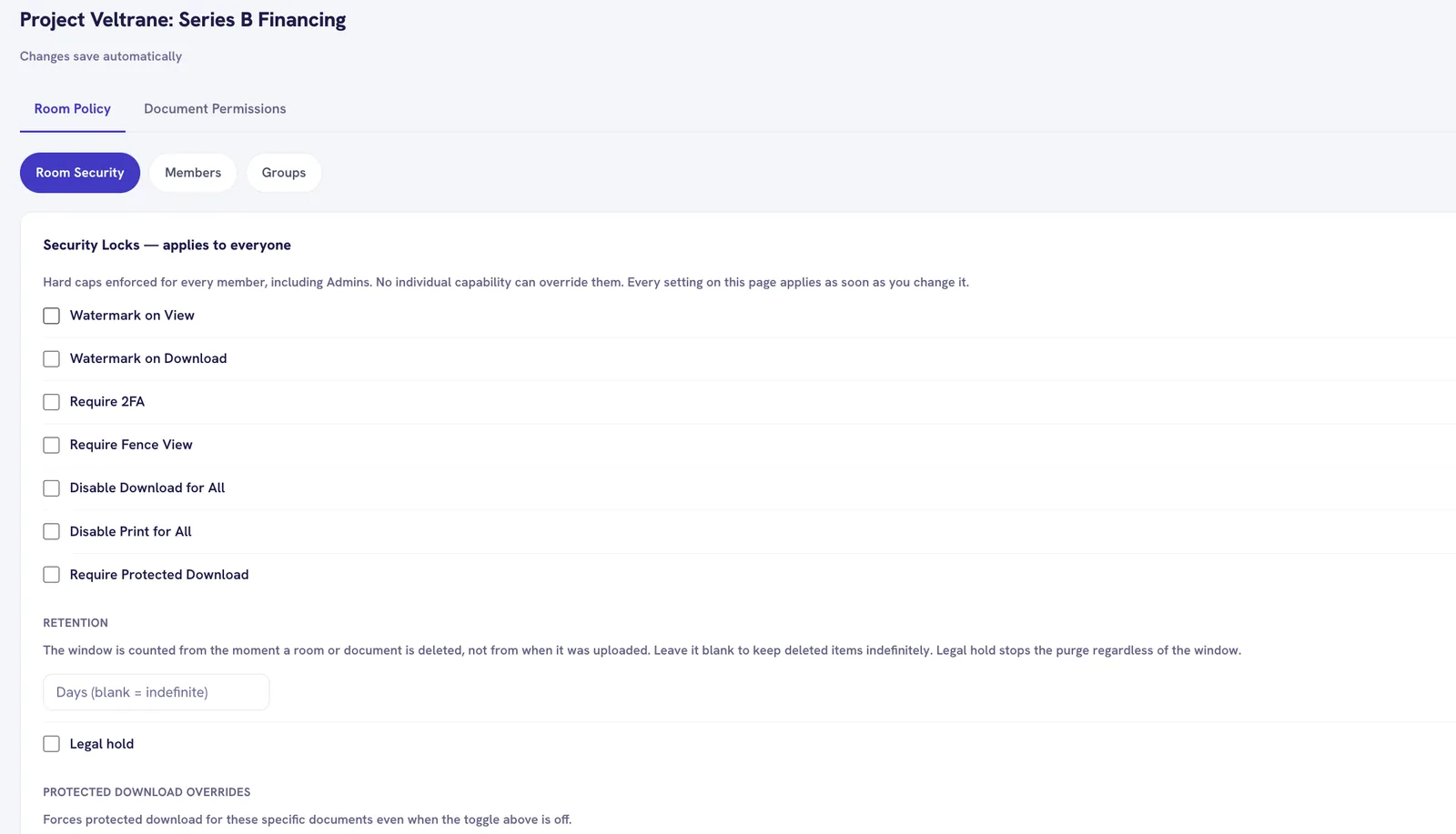
Turn on watermarks, require two factor and switch off download or print for everyone. These locks sit above every permission, admins included.
- 02
Fence it to known networks
Add the client’s office range or VPN for the whole room, then single addresses for outside counsel. Anything else is refused and logged.
- 03
Give each reader what they need
View, print, download, edit, delete and e sign are separate switches. Add an expiry date where access should lapse.
- 04
Set a room wide end date
Room expiry caps every document. A single document can end earlier, never later.
- 05
Keep the record
Views, downloads and refused attempts are logged with the person, document, address and time.
Watermarks
The page shows who is reading it.
The file is marked on the server when it is viewed, and the viewer draws a matching mark that keeps up with zoom. A screen capture carries it too.
- Watermark on view
- Watermark on download
- Disable download
- Disable print
- Room two factor
- IP allowlist
- Document expiry
Which files carry a watermark
Watermarks are embedded in PDF, Office and image files. Other file types are stored, permission controlled and logged, but served as they are. We do not block them or claim they are watermarked.
How enforcement works
The rules are checked on every request.
Every click checked
Permissions are not cached in the browser. Revoke someone and their next click fails, even with the viewer already open.
Links that expire in minutes
Files are served through short lived signed links. There is no permanent link to forward.
Refusals are records
A refused attempt is logged with the same detail as an allowed one, including the reason.
Never briefly visible
Choose the audience when you upload. The restriction applies at the same time.
Only allowed buttons show
The viewer asks the server what this person can do and shows only those actions.
Removal keeps the history
Removing someone ends their access right away. Their activity stays in the audit log.
Typical fit: Small or Medium room
Small is $250 a month with 20 GB and 5 internal users. Medium is $500 a month with 50 GB and 10 internal users. Both have every lock.
Questions counsel ask
Does two factor apply to the room owner?
Yes. When the room requires it, everyone enters with a one time code sent by email, the owner included.
Can we see attempts that were blocked?
Yes. Refused attempts appear in the activity log next to allowed ones, with the person, document, address and reason.
Can we redact documents inside the room?
Not yet. Redact documents before you upload them.
Other use cases
See all use cases →Fund raises and portfolio sales
LP data rooms and sell-side processes without a per-deal software negotiation.
AdvisorsBoutique M&A and investment banks
Run six bidders at once and see who read the model before the second round.
FoundersStartups raising a round
A data room for Series A diligence without a large software bill.
Set up a room for your next matter.
14 days free with up to 3 data rooms and every feature. No card needed.